 SunSea Hub
SunSea Hub › Features › Maintenance
Features · In the workshop
Fleet maintenance: the Fix workshop
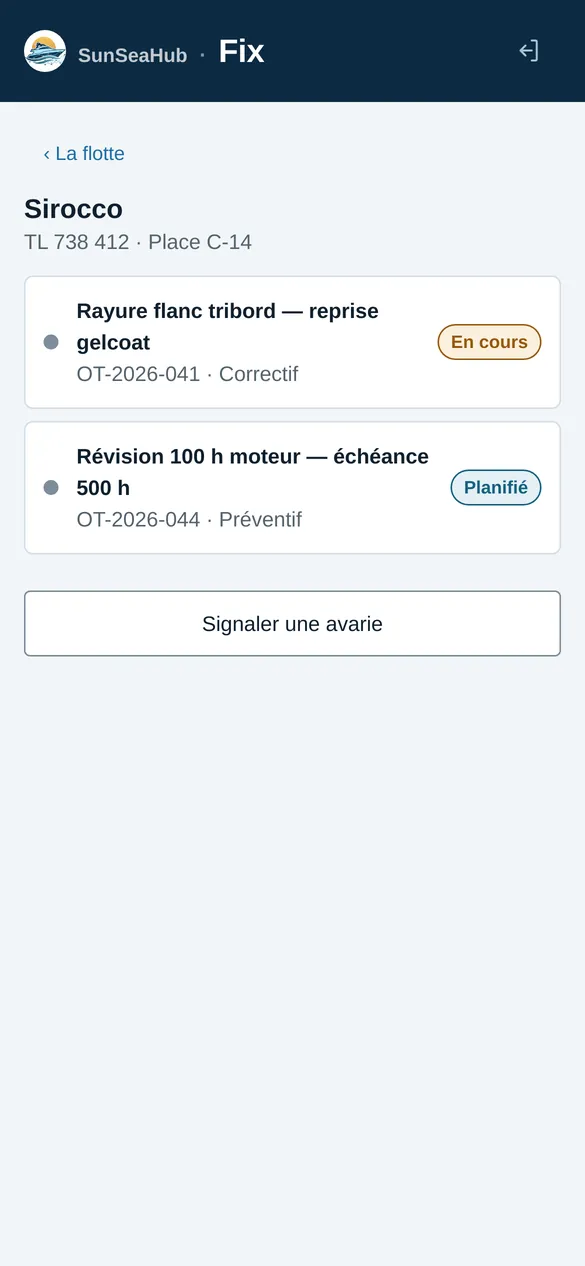
Fix is the workshop app. It sorts boats by urgency and keeps track of work orders, maintenance plans by date or engine hours and the actual cost of each job — and links what the dock recorded to what the workshop repairs.
From a dock finding to a work order
A fault spotted when a rental boat comes back is reported from Check, with a photo as evidence. Once confirmed, it becomes a work order linked to the boat and to the original rental. The workshop finds it in Fix, together with the dock’s findings.
Maintenance plans by date or engine hours
Each boat has its preventive maintenance plans: a service every 100 hours, annual antifouling, fire extinguisher checks. Preventive work orders are created automatically when due, based on the date or on the hour meter reading taken at the dock on each return.
The work order, from opening to closing
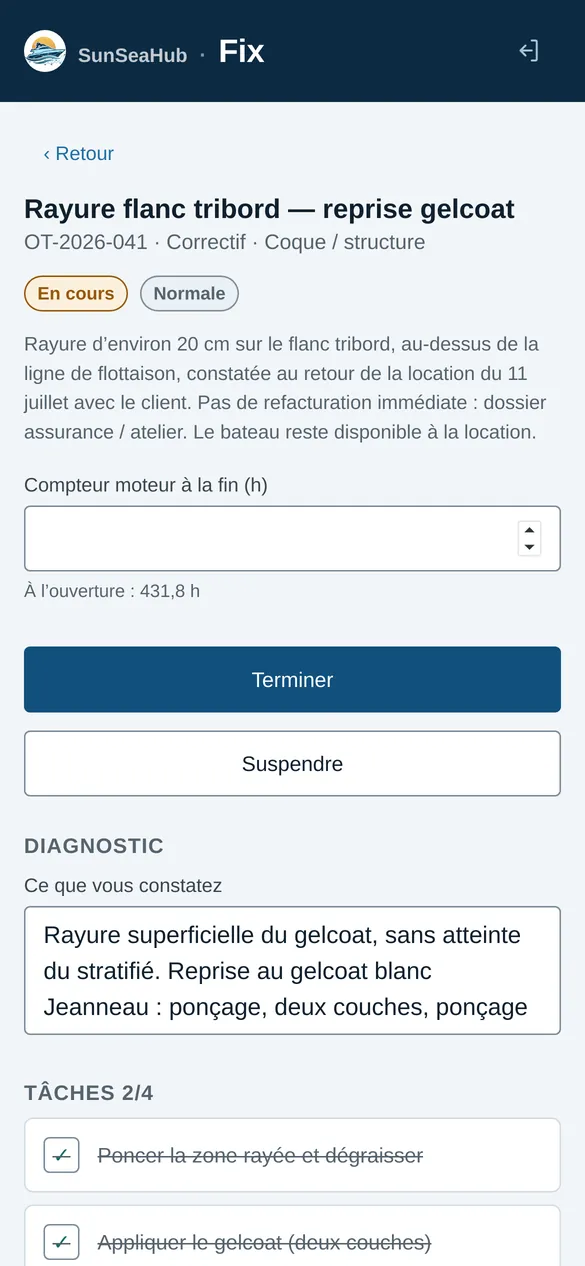
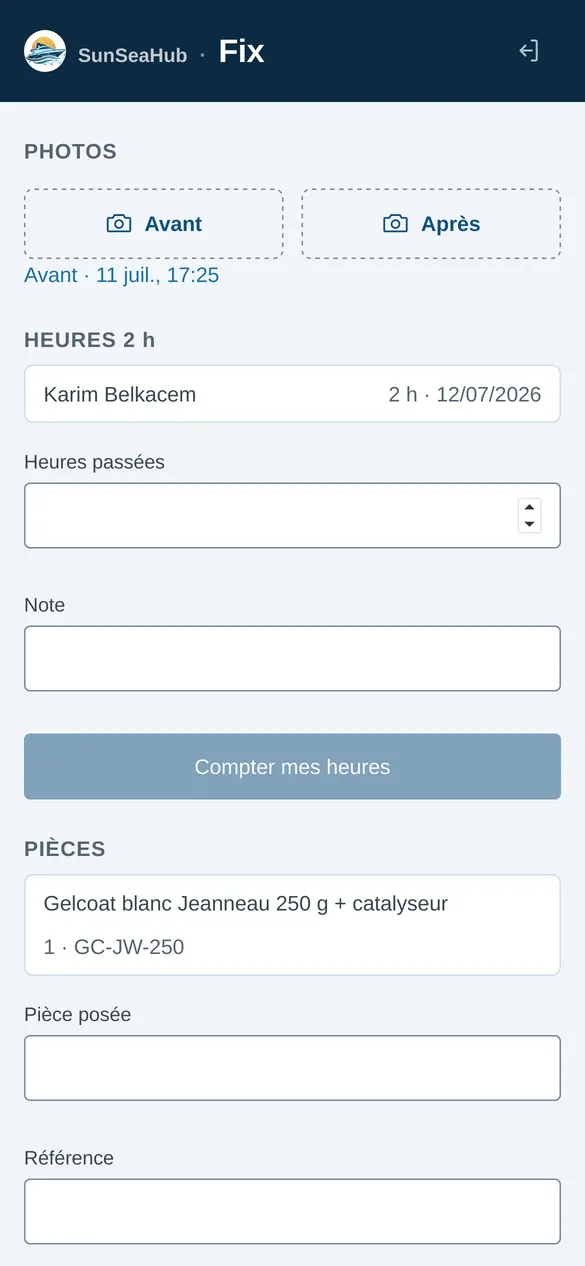
A work order holds its tasks, its diagnosis, its parts, the time spent, its supporting documents and, where applicable, the external contractor. You can put it on hold, complete it by recording the engine hour meter, and reopen it if needed: the actual cost is recalculated from its lines.
Taking a boat off hire without breaking the planner
Workshop downtime blocks new bookings for the boat. If rentals are already scheduled over the period, Fix shows them before you confirm: the workshop decides, and nothing is cancelled automatically.
Equipment and periodic checks
Equipment is tracked item by item: assigned boat, purchase date, warranty, inspection interval, whether it must be carried on board. An alert warns you when a check falls due; an item not handed back on return is marked “lost”, and an item under repair is marked “under maintenance” for the duration of the work order.
Frequently asked questions
Do I need separate maintenance management (CMMS) software?
No. Maintenance is built into SunSea Hub (Premium plan): work orders share the rental planner and the dock’s findings.
Are workshop costs visible to everyone?
No. Costs are restricted to accounts with the right to see them; the owner sees their boat’s maintenance in their portal.
Can an owner request maintenance?
Yes. From Sup, the owner sends a maintenance request, which the workshop receives and answers.
Read next
Check-in inspection
With Check: a photo plan per boat, inventory, fuel and engine hours, the customer’s signature at departure and return, return compared with departure.
Owner management
Sup shows each owner their boat and only theirs: position, planner, maintenance, alerts and income, without ever naming the renters.
Fleet GPS tracking
A Teltonika GPS tracker on board: position, speed, fuel, battery, trip tracks, WhatsApp alerts on leaving the zone, water ingress or impact.
Comparison
SunSea Hub, Nauticoncept, Nautic Manager, SeaBook and Boat Rental Manager on 17 criteria: deposit, inspection, GPS, pricing, no minimum term.
Fleet, Check, Fix and Sup — the office, dock, workshop and owner apps — are in French today. What your renters read is in English, French and German: the booking widget, quotes, payment links and messages. The rental contract is in English and French.