 SunSea Hub
SunSea Hub › Features › Owner management
Features · Owners
Managing boats on behalf of owners
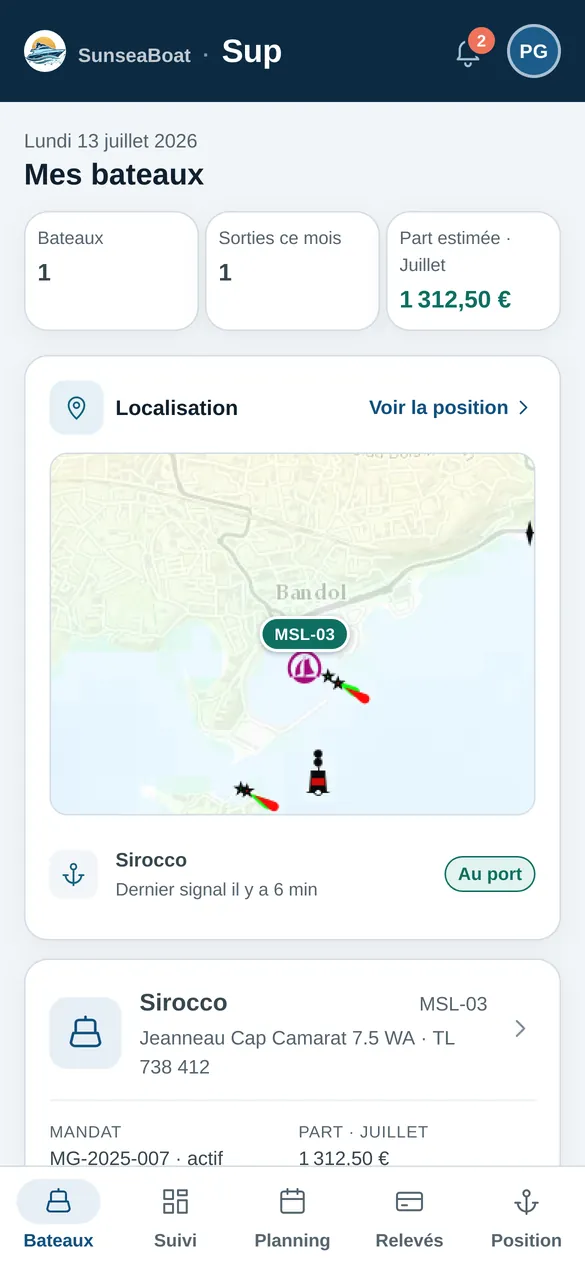
Sup is the portal for owners who entrust their boat to a rental company. Each owner sees their own boat and theirs alone: position, planner, maintenance, tracker readings, alerts and income — without ever seeing the renters’ names.
Are you a boat owner?
This page describes owner management from the rental company’s side. If you own a boat and are thinking of entrusting it to a professional, read Renting out your boat through a professional instead: what you see, what you sign, what you keep.
What the owner sees
- Their boats: trips this month, estimated share, position on the map.
- Their documents: management agreement, certificate, insurance, with their status.
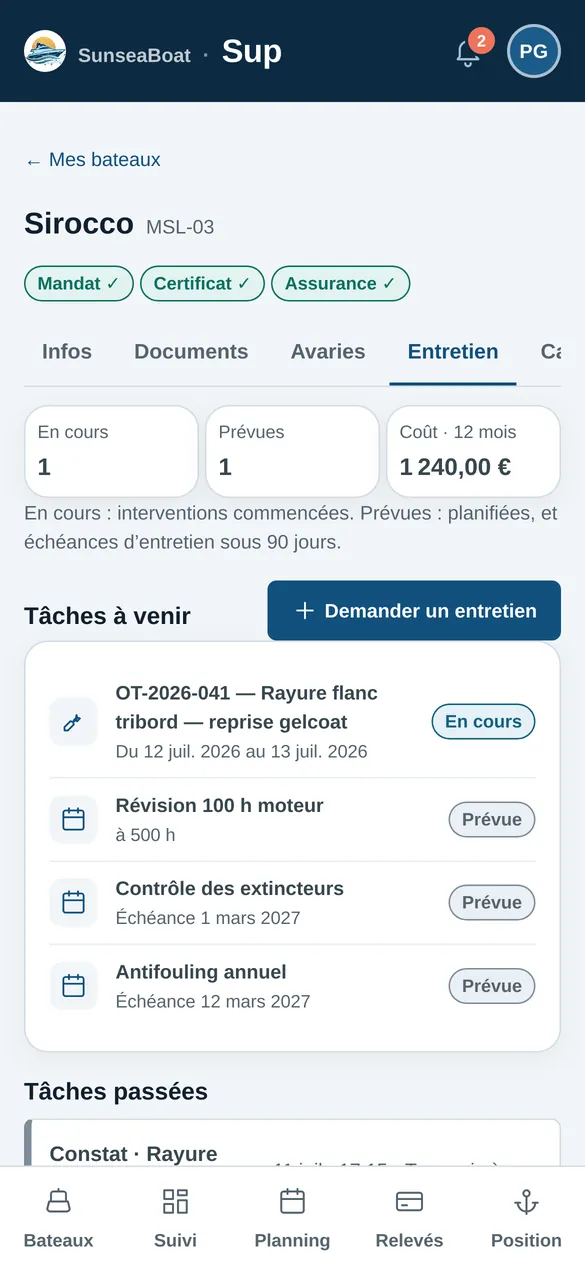
- Maintenance: jobs in progress, scheduled and past; they can request maintenance.
- Tracker readings: fuel, battery, trip tracks.
- Their boat’s alerts: water ingress, impact, moving away from the port, unexpected movement at the mooring, low fuel or battery.
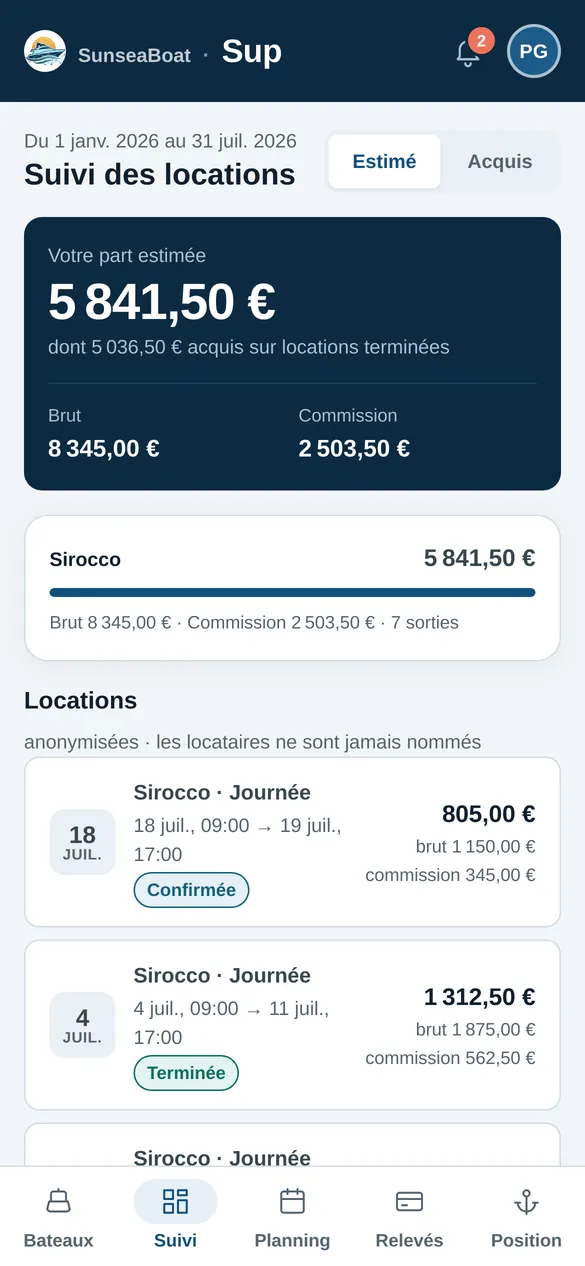
- Their income: rental by rental, gross, commission and share, first estimated, then earned.
What they don’t see
Renters are never named. Operational alerts — leaving the zone, tracker gone silent — stay with the rental company. The owner has no access to Fleet: their account opens only their portal.
A mooring alarm
With a GPS tracker on board, the owner can arm their boat’s alarm: a movement out of the port with no rental in progress, or an impact, triggers an alert. When disarmed, the alarm stays silent, for example when they use the boat themselves.
For the rental company: owner management without spreadsheets
The management agreement is signed electronically, mandatory documents are tracked with their expiry dates, the owner’s personal-use periods block the planner, and owner payouts are calculated from the rentals actually completed.
Frequently asked questions
Do you need a GPS tracker to use Sup?
No. The tracker adds the position, readings, alerts and the alarm; the planner, documents, maintenance and income are shown without it.
Does the owner have their own login?
Yes: a personal account, on their own portal, with forgotten-password recovery, notifications and consent to the terms at first login.
Is the income shown final?
The portal separates estimated income, calculated on scheduled rentals, from earned income, calculated on completed rentals.
Read next
Maintenance
Fix sorts boats by urgency, keeps work orders, maintenance plans by date or engine hours, and the real cost of every job.
Fleet GPS tracking
A Teltonika GPS tracker on board: position, speed, fuel, battery, trip tracks, WhatsApp alerts on leaving the zone, water ingress or impact.
Online contract
The customer confirms the quote with one tap from WhatsApp, SMS or email, pays the advance by link, then signs the contract and inspection at the dock.
Comparison
SunSea Hub, Nauticoncept, Nautic Manager, SeaBook and Boat Rental Manager on 17 criteria: deposit, inspection, GPS, pricing, no minimum term.
Fleet, Check, Fix and Sup — the office, dock, workshop and owner apps — are in French today. What your renters read is in English, French and German: the booking widget, quotes, payment links and messages. The rental contract is in English and French.