 SunSea Hub
SunSea Hub › Features › Check-in inspection
Features · At the dock
The check-in inspection of a rental boat, on a phone
Without a check-in and check-out inspection signed at departure and on return, the boat is deemed accepted as it stands: damage noted after the customer has left can no longer be withheld from the security deposit. The inspection report signed by both parties, with its dated photos, is the proof. With SunSea Hub, the inspection is carried out on a phone with the Check app: a photo plan specific to each boat, checkpoints, the equipment inventory, fuel and engine hours, at departure and then on return. The customer signs electronically, and the return is compared against the departure.
The dock’s day on one screen
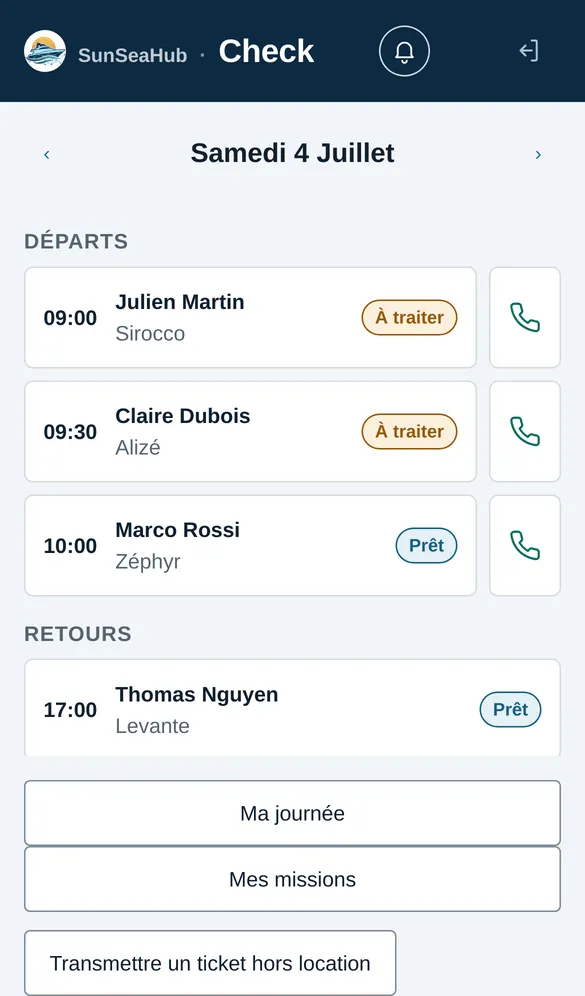
Check opens on the day’s departures and returns: the time, the customer, the boat and the status of each operation (to do, ready). One tap calls the customer; another reports a problem outside any rental to the workshop.
Departure, step by step
| Step | What the dock agent does |
|---|---|
| 1. ID documents | Photographs the ID document; surname, first name and date of birth are read automatically. |
| 2. Licence | Checks the boating licence when the boat requires one. |
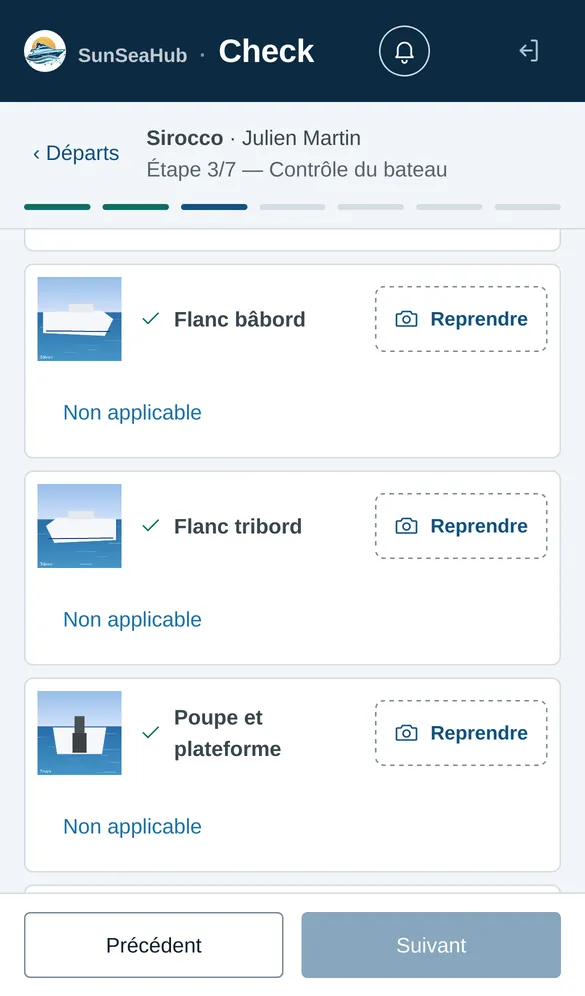
| 3. Boat inspection | Answers the checkpoints specific to this boat and takes the photo plan. |
| 4. Equipment | Ticks off the inventory handed to the customer: life jackets, anchor, cool box, rented extras. |
| 5. Signature | The customer signs the contract and the check-in inspection on the phone, before paying. |
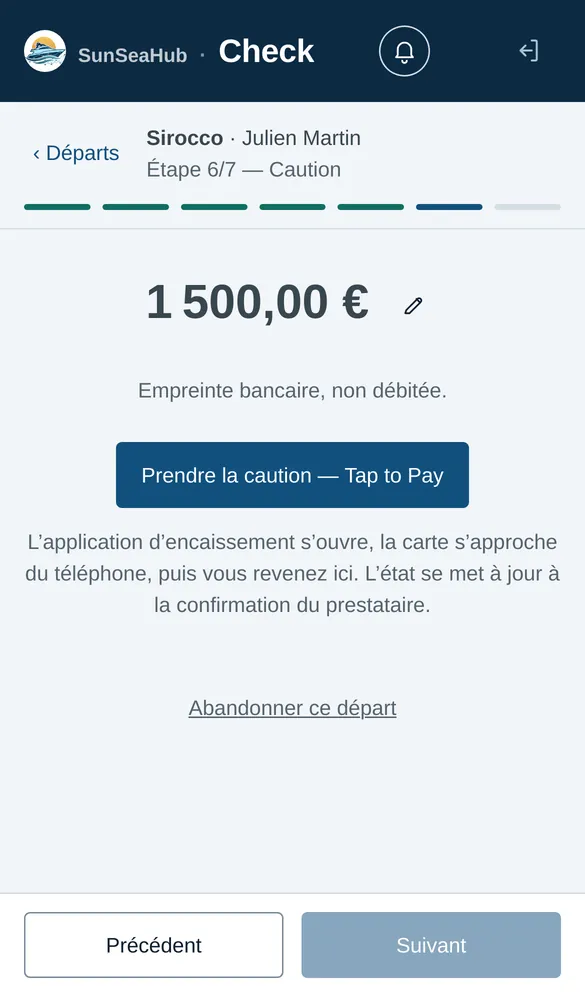
| 6. Security deposit | Takes the card pre-authorisation contactless. |
| 7. Balance | Collects the amount still due, if there is any. |
When the last payment is confirmed, the departure closes on its own, and the customer receives their contract, check-in inspection report and invoice by WhatsApp and by e-mail.
What the inspection report contains
| Item | At departure | On return |
|---|---|---|
| Photos | One per zone of the plan: sides, stern, bathing platform, deck, engine… | The same zones, compared with departure |
| Checkpoints | Those that apply to the boat | The same, plus cleanliness |
| Equipment | Inventory handed to the customer | Inventory returned, missing items and breakage |
| Fuel | Level at departure | Level on return, shortfall calculated |
| Engine hour meter | Hours at departure | Hours on return, never lower |
| Signature | Contract and check-in inspection | Check-out inspection |
A guided photo plan
Each boat has its own photo plan: Check asks for each zone one after the other, and the departure cannot close while a required photo is missing. A zone that does not apply is marked “not applicable”, with a reason.
Photos checked automatically
Each photo is analysed: does it really show the requested zone? On return, is any damage visible compared with departure? The analysis suggests, the agent decides: it blocks nothing and accuses no one, it opens a flag that the agent confirms or dismisses. Only the image is analysed, without the customer’s name or the booking number.
Checkpoints specific to each boat
The checklist follows the boat: there is no cabin check on a boat without one, undeclared equipment is not offered, and a boat that requires a licence adds its navigation lights and its anchor light. The rental company adjusts the list boat by boat from the boat’s record.
The return: check-out inspection, washing, fuel
The return takes three operations. The check-out inspection (the check-out, in Check), with the customer: photos, checkpoints, engine hours, inventory, fuel and signature. Then washing and refuelling, by their own teams, in whatever order suits them. The last of the three closes the return. As soon as the check-out inspection starts, the boat cannot go out again until the return is closed.
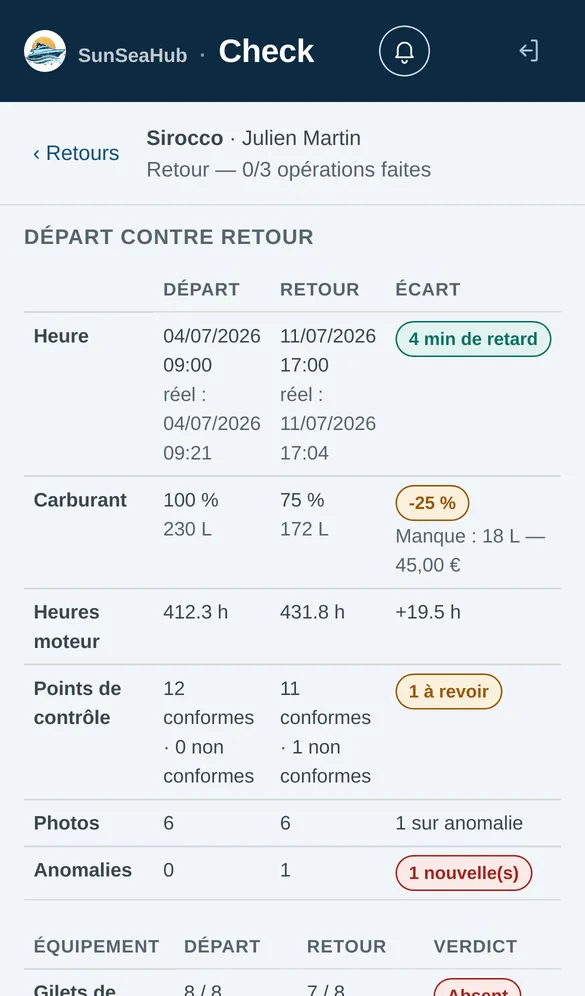
Check compares the return with the departure: return time, fuel, engine hours, checkpoints, photos and equipment returned. Anything missing or changed becomes a line to recharge — see return charges.
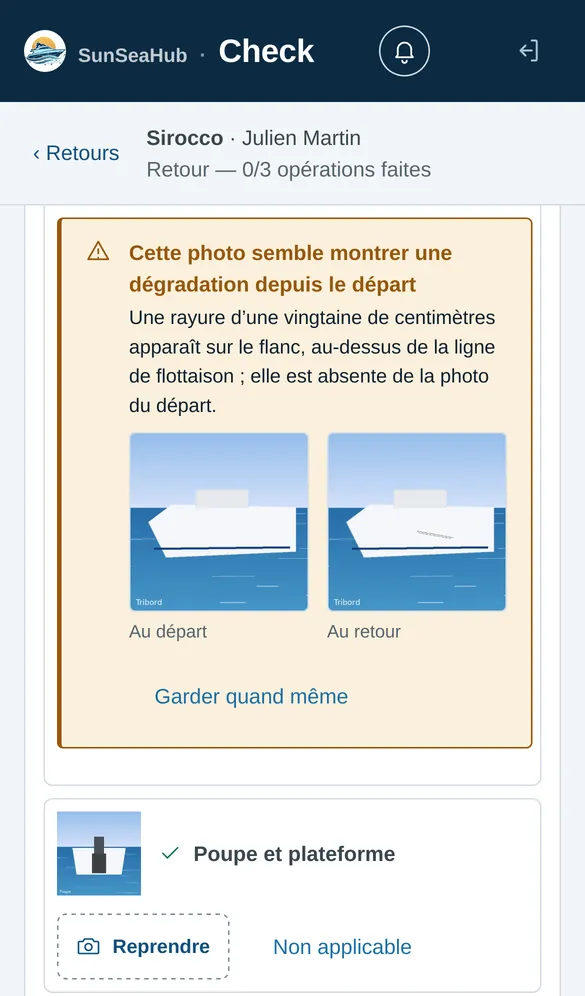
The return compared with the departure
Check puts side by side the scheduled time and the actual time, fuel, engine hours, checkpoints, photos and equipment. The agent sees at a glance what changed during the rental, with the customer still on the pontoon.
Signed, sealed, attached to the booking
The customer electronically signs the check-in inspection at departure, together with their contract, and then the check-out inspection. The signed documents are kept in the booking as evidence, and a closed inspection report can no longer be changed. Anything missing or changed becomes a line to recharge — see return charges.
Who uses Check
Dock agents for departures and check-out inspections, the washing team and the fuel team for their return operations, and skippers, who can do everything. Each person sees only the actions of their own role.
Frequently asked questions
Do I need to install an app to carry out the check-in inspection?
No. Check opens in the browser on the dock agent’s phone.
Can a check-in inspection be corrected afterwards?
Not once the return is closed: the inspection report becomes evidence. Damage spotted later is handled as a claim, not as a return charge.
Can the automatic check block a departure?
No. It flags; the agent decides. Only a missing required photo prevents closing.
Do I need a payment terminal at the dock?
No. The security deposit and the balance are collected contactless with the Viva app, on a compatible phone. The payment status comes back into Check as soon as the payment institution confirms it.
Can the customer leave if the security deposit has not been taken?
No. The departure closes only with a signed check-in inspection, the balance collected and a security deposit that is authorised and not expired.
Can a boat be rented out again before the return is finished?
It can be booked, but it cannot go out again: as soon as the check-out inspection starts, a new departure of the same boat is refused until the return is closed.
Read next
Security deposit
A contactless card pre-authorisation at the dock: authorised, not debited. At return, amounts due are taken; otherwise released within 12 hours.
Return charges
At the return of a boat rental, the inspection becomes amounts due: fuel, missing items, breakage, cleaning, lateness, taken from the security deposit.
Online contract
The customer confirms the quote with one tap from WhatsApp, SMS or email, pays the advance by link, then signs the contract and inspection at the dock.
Comparison
SunSea Hub, Nauticoncept, Nautic Manager, SeaBook and Boat Rental Manager on 17 criteria: deposit, inspection, GPS, pricing, no minimum term.
Fleet, Check, Fix and Sup — the office, dock, workshop and owner apps — are in French today. What your renters read is in English, French and German: the booking widget, quotes, payment links and messages. The rental contract is in English and French.